Language Settings
Language Settings
The language settings consist of four parts. Typically, you only need to configure the GPT-Tutor language settings and the language you want to learn:
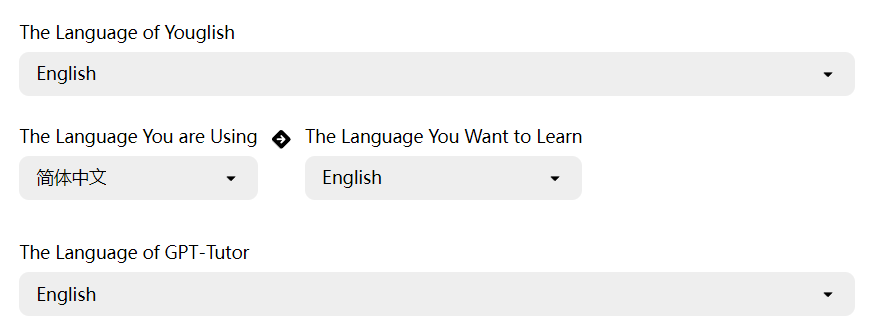
GPT-Tutor Language Settings
This setting determines the language of the GPT-Tutor interface.
Language You Want to Learn
Set the language you want to learn here. Once configured, GPT-Tutor will act as a teacher for that language.
Youglish Language
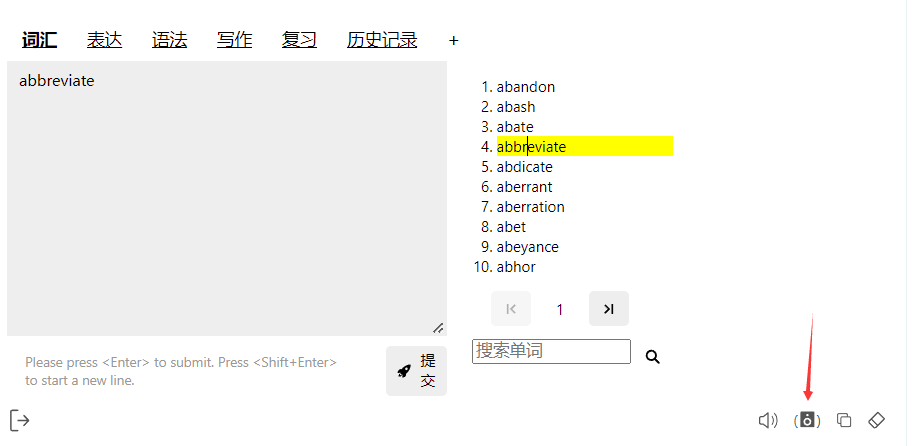
Usually set to the same language you want to learn. After setting it up, you can click the speaker icon to use Youglish to hear the pronunciation of words by real speakers on YouTube.
Language You Are Using
Use this setting to ensure that the AI responds in the language you are currently using. Otherwise, the AI might respond in English.